The Ultimate Guide to Choosing a Modern EHR System
Discover the essential elements to consider when choosing a modern EHR system that meets your practice's needs.
2 min read
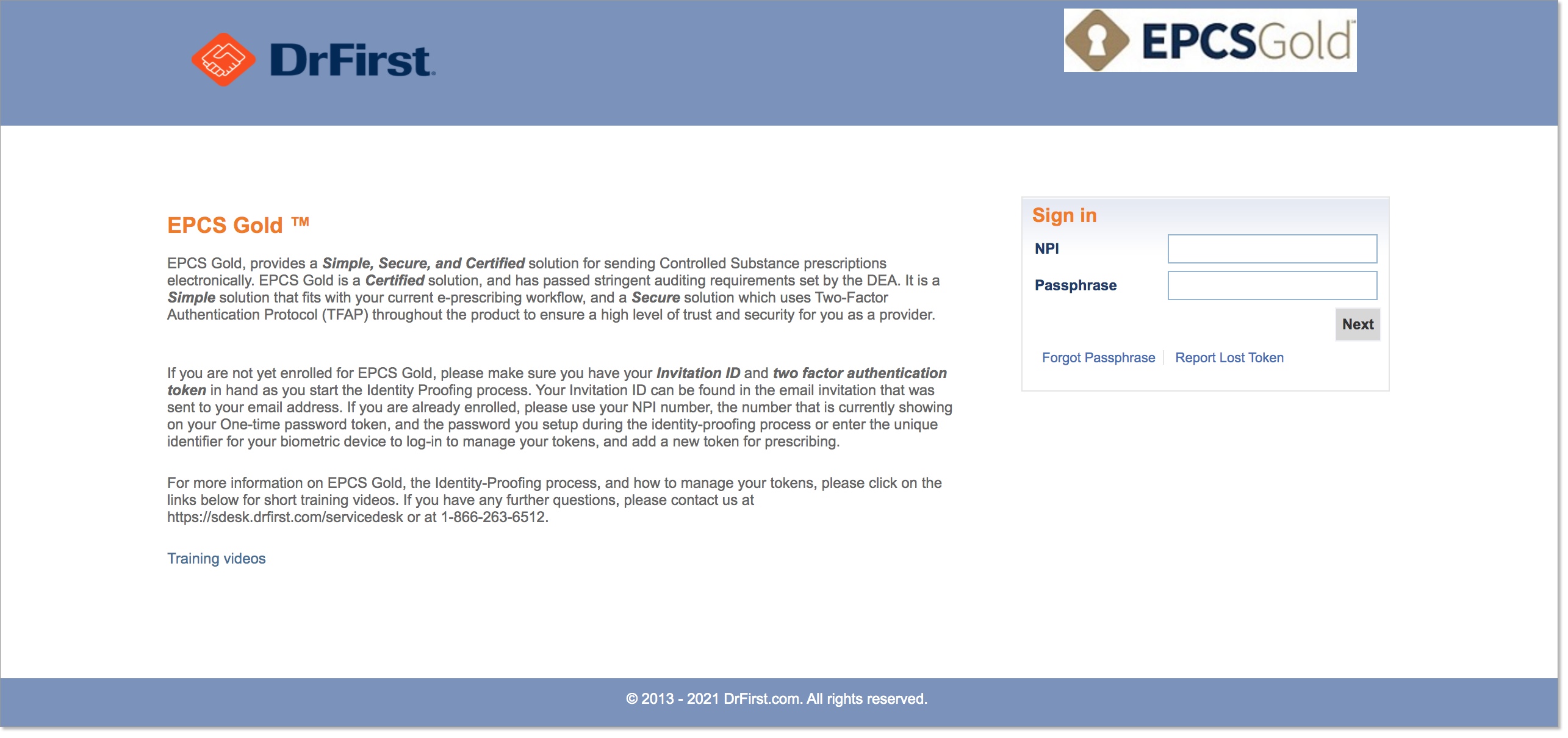
If you’re sending controlled substance prescriptions electronically you’re using either a soft-token on your smartphone or a hard-token device (or both) to receive a 6 digit One Time Pin or OTP from Dr.First
This post describes the process and steps you need to follow in the event you get a new cell phone. Unless you have a hard token as a secondary source, It's important that you don't discard your old phone before completing these steps.
Important Do Not Discard your Old Phone until you Follow the Steps Below:
If you don’t have your old phone OR an existing hard token you will have to re-enroll and go through the Identity Proofing Process again.
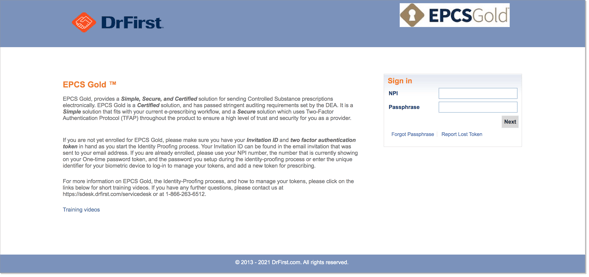
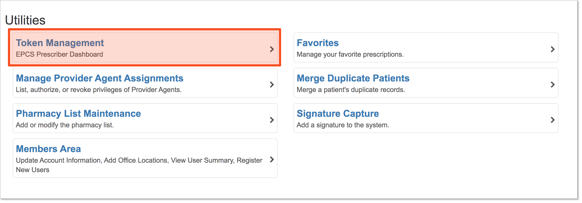
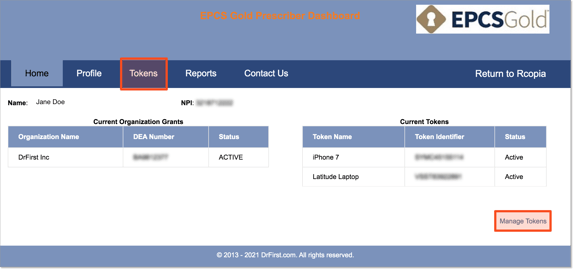
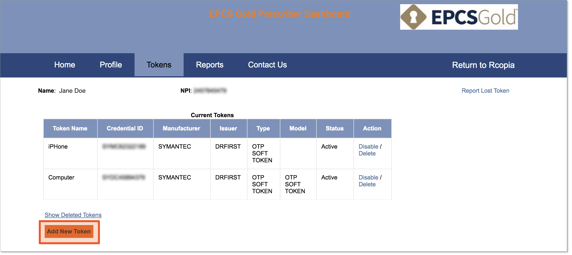
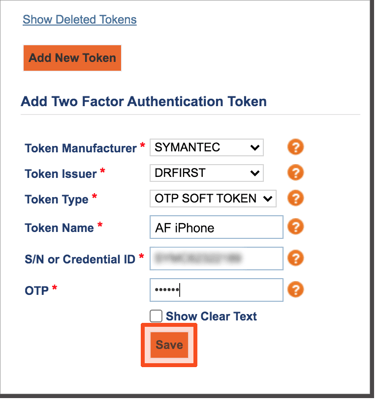
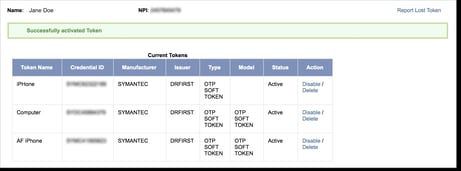
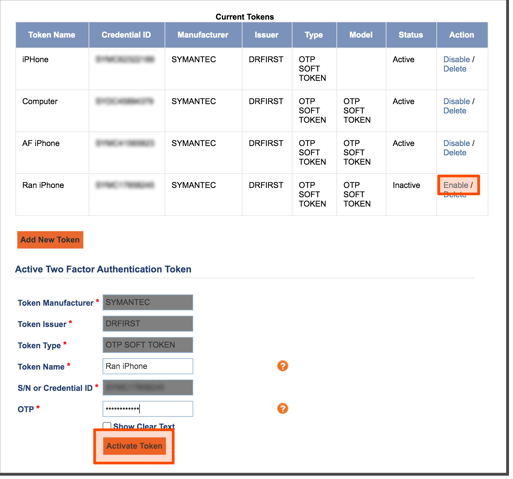
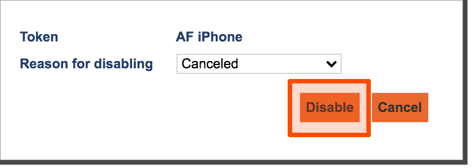
Once you've completed step 8, you should be able to utilize your EPCS with your new cell phone. If at anytime if you have issues adding your token, questions or concerns, you can always reach out to us at support1@avsmedical.com or you can contact Dr. First for assistance at the number 1-866-263-6512.
Want more information on EPCS for Practice Partner, Medisoft Clinical or Lytec MD? Create a ticket with us using the link below and we can provide you with more information!

Discover the essential elements to consider when choosing a modern EHR system that meets your practice's needs.
In early 2019 Practice Partner New Features and Major Enhancements will be realeased in version 11.2. 11.2 is the 2015 Edition Health IT Module...
NextGen Office podiatry specific EHR partners with the APMA. By choosing NextGen Office Podiatry EHR, you can easily access the APMA data registry.